
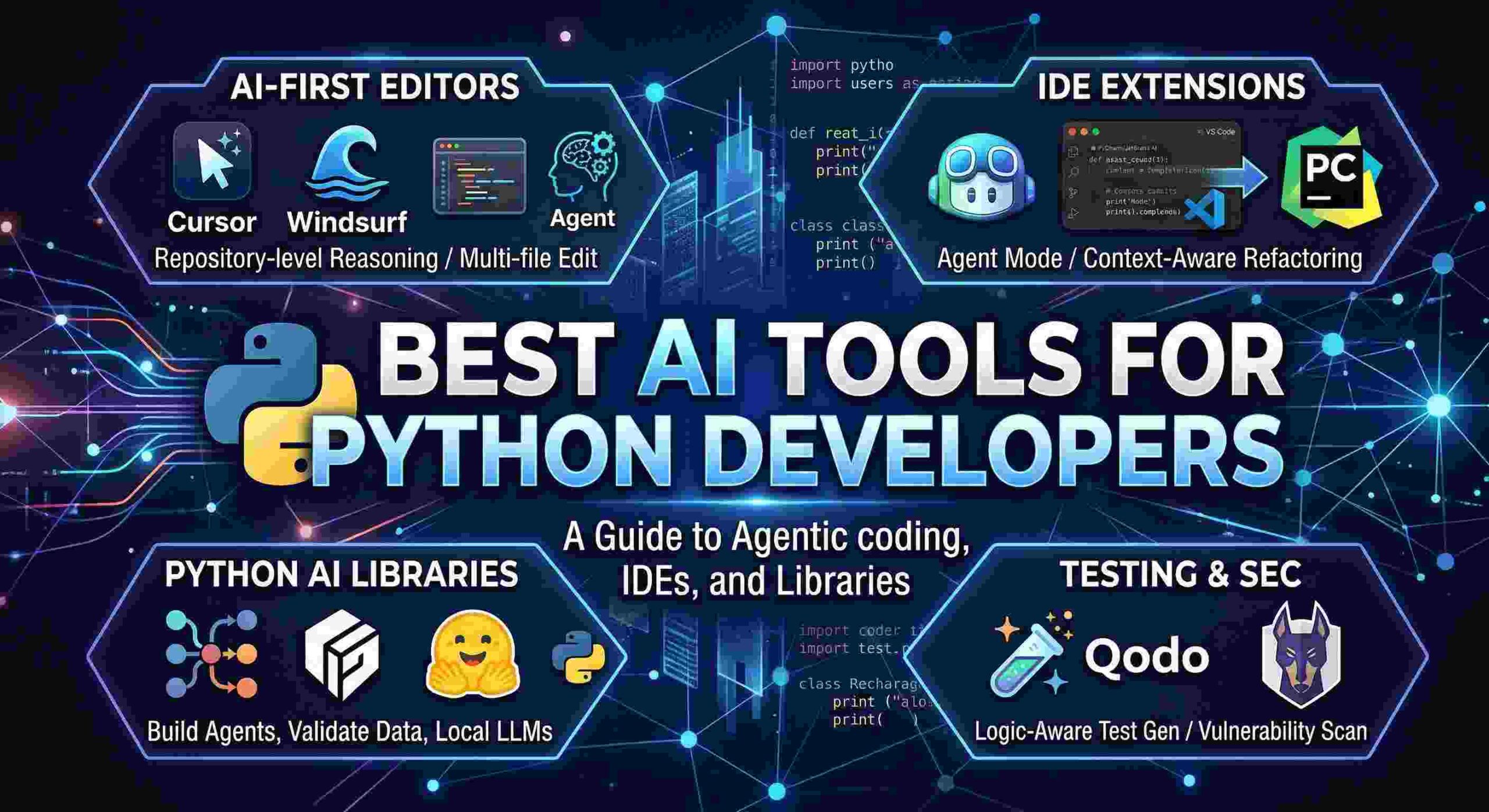
In 2026, the AI landscape for Python developers has shifted from simple “autocompletion” to “agentic coding,” where tools can now handle multi-file refactors, debug complex logic, and even write entire feature suites autonomously.
The Python developers can take advantage of some AI tools that are designed for code generation, debugging, data science workflows and IDE integration. Standouts such as Cursor and GitHub Copilot are great at Python-specific tasks like pandas transformations and PyTorch scripting.
Top Coding Assistants Cursor is the best overall AI editor for Python and has codebase-aware completions, the ability to refactor entire modules and Composer for multi-file edits. GitHub Copilot excels at real-time suggestions in data analysis (pandas, NumPy) and ML (PyTorch, scikit-learn), and integrates easily with VS Code and Jupyter.
Tabnine specializes in privacy using local models, Python style to adapt to unit tests and 80+ languages. Data/ML Specialists Windsurf (formerly Codeium) offers intelligent completions and Cascade agents for Python ML pipelines, VS Code, and JetBrains support. ) Amazon Q Developer and Gemini Code Assist optimize for Python with a cloud, such as BigQuery or TensorFlow workflows.
CodeGeeX produces Python code with an IDE supporting test and optimization. Chat-Based Tools Claude wins for python reasoning, debugging and complex scripts such as regex or pydantic models. GPT-4o through OpenAI or ChatGPT is responsible for scaffolding modules and visualization (Matplotlib, Plotly).
Comparison Table
| Tool | Key Python Strength | IDE Support | Pricing |
|---|---|---|---|
| Cursor | Refactoring, Composer agents | VS Code fork | Freemium ($20/mo Pro) |
| GitHub Copilot | Data/ML completions | VS Code, Jupyter | $10/mo |
| Tabnine | Privacy, unit tests | VS Code, JetBrains | Free/Pro |
| Windsurf | ML pipelines, Cascade | VS Code, JetBrains | Free tier |
| Claude | Reasoning & debugging | Web/CLI | Usage-based |
Essential Python AI Libraries
If you are building AI rather than just using it to code, these are the industry-standard libraries in 2026:
| Library | Best For | Key Feature |
| LangGraph | AI Agents | Handles cyclic, stateful workflows (perfect for complex LLM apps). |
| Pydantic-AI | Production GenAI | Uses Pydantic types to ensure AI outputs are strictly validated. |
| Polars | Data Processing | The “Pandas killer” for 2026; written in Rust, incredibly fast for AI data prep. |
| Hugging Face Transformers | Model Integration | The go-to for running local LLMs or fine-tuning BERT/Llama models. |
Professional IDE Extensions
If you are loyal to your current setup (like PyCharm or VS Code), these tools bring AI directly to you.
- GitHub Copilot (Agent Mode): The “pragmatic default.” In 2026, Copilot’s new “Agent Mode” can now generate Pull Requests, write unit tests using
pytestautomatically, and even suggest fixes for security vulnerabilities found in your Python dependencies. - JetBrains AI Assistant: Best for PyCharm users. It leverages JetBrains’ deep static analysis of Python code to provide more accurate refactoring suggestions than generic LLMs. It understands Python type hints and virtual environments natively.
- Aider: A powerful CLI-based tool. You run it in your terminal alongside your code. It’s excellent for “serious” refactors because it works directly with your Git history, committing changes as it goes so you can easily undo AI mistakes.
❓ తరచుగా అడిగే ప్రశ్నలు (FAQs)
ఈ వార్త లేదా కథనంలో ముఖ్యమైన అంశం ఏమిటి?
Best AI tools for Python developers గురించిన పూర్తి సమాచారం మరియు తాజా ముఖ్యాంశాలు ఈ కథనంలో సమగ్రంగా వివరించబడ్డాయి.
ఈ తాజా పరిణామం ఎందుకు ప్రాధాన్యత సంతరించుకుంది?
ప్రజా ప్రయోజనాలు, సంబంధిత వర్గాలు మరియు ప్రస్తుత పరిస్థితుల దృష్ట్యా ఈ పరిణామం అత్యంత కీలకమైనదిగా మారింది.
ఈ అంశంపై అధికారిక వివరాలు మరియు తాజా అప్డేట్స్ ఎక్కడ తెలుసుకోవచ్చు?
సంబంధిత అధికారిక వర్గాలు వెల్లడించే తదుపరి సమాచారం మరియు ప్రత్యక్ష అప్డేట్స్ కోసం మా వెబ్సైట్ను నిరంతరం ఫాలో అవ్వండి.